


Works inside Claude, ChatGPT, Gemini and Copilot

Spend less. Sell more.
Just ask your AI.

Ad-Efficiency connects Claude, ChatGPT and Gemini to your Google Ads, Analytics and Merchant Center. It finds where your budget is wasted, explains what changed and prepares the fix. You approve it with one click. Meta and Microsoft Ads are next.

Get started free
  • Free plan, no card needed
  • Verified by Google
  • Nothing changes without your yes
Real screens from the app, on a sample account.
app.ad-efficiency.com/overview
Ad-Efficiency overview: spend, conversion value, ROAS and cost per conversion for a Google Ads account Approvals page with two changes proposed by AI apps, waiting for a yes AI apps page with the supported AI apps and their own setup steps Activity log of questions asked from Claude, ChatGPT, Gemini and Perplexity
Works inside
  • Claude
  • ChatGPT
  • Gemini
  • Copilot
  • Perplexity
  • Manus
  • Cursor
  • n8n
What you get

Less wasted spend. More sales and leads.

Most ad accounts lose money in the same few places. Ad-Efficiency checks them every day and prepares the fix for you to approve.

  1. 01
    Lower costsStop paying for searches that never buy.
  2. 02
    More salesGet disapproved products back into Shopping.
  3. 03
    More leadsMore quote requests for less, service by service.
  4. 04
    No lost leadsCatch tracking that stopped before you lose a week.
  5. 05
    Higher conversion rateSend paid clicks to the pages that convert.

Lower costs

Search terms with spend and no salesSample account · last 30 days
  • free jewellery cleaning$240Blocked
  • cheap silver rings wholesale$186Blocked
  • aurelle careers$127Blocked
  • how to clean silver at home$77Blocked
  • silver ring size chart$54Blocked
Wasted spend stopped each month$0

More sales

Products Google stopped showingSample account · Merchant Center
  • Silver halo ring
    Silver halo ringMissing GTIN
    DisapprovedBack in Shopping
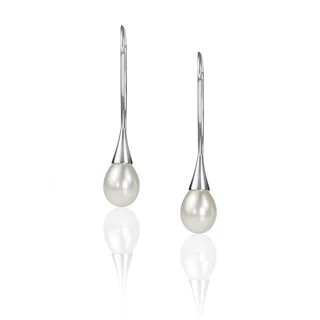
  • Pearl drop earrings
    Pearl drop earringsMissing GTIN
    DisapprovedBack in Shopping
  • Gold chain
    Gold chain, 45cmImage too small
    DisapprovedBack in Shopping
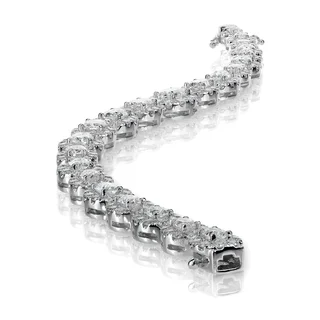
  • Diamond tennis bracelet
    Diamond tennis braceletPrice does not match site
    DisapprovedBack in Shopping
Products back in Shopping0
Sales they brought last month$0

More leads

Quote requests by serviceSample account · home services · this month vs last month
  • Kitchen fitting
    Kitchen fittingCost per lead $63 $41
    1414
  • Boiler repair
    Boiler repairCost per lead $29 $21
    3131
  • Solar panel installation
    Solar installationCost per lead $125 $81
    66
Quote requests+0%
Cost per lead−0%

After searches that never booked a job were blocked and the budget moved to the services that do.

No lost leads

Newsletter sign-ups per daySample account · conversion check
Thu: sign-ups stop after a site updateNext morning: flagged, form fixed, back to normal

Higher conversion rate

Paid visitors who stay, by landing pageSample account · GA4 + Google Ads
  • /collections/new67%
  • /gift-guide38%
  • /sale/rings31%
/sale/rings/collections/newReady to approve
$0wasted spend stopped each month
0products back in Shopping
+0%more quote requests
−0%lower cost per lead

Examples from sample accounts. What you save and gain depends on your own account.

Who it is for

Built for businesses that pay for every click.

Whether you sell online, take bookings or run accounts for clients, Ad-Efficiency works on the numbers that matter to you: orders, enquiries and cost.

An online jewellery shop owner packing an order
Online shops

More orders from the same budget.

  • Products Google stopped showing, back in Shopping
  • Budget moved to the products that sell
  • Searches that never buy, blocked
$5,518 in sales brought back in a monthsample account
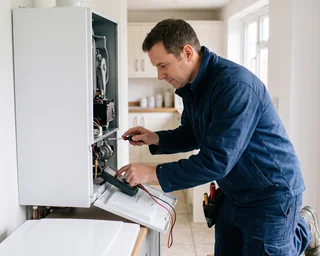
A kitchen fitter reading a new enquiry on his phone
Local and service businesses

More enquiries, cheaper leads.

  • Budget on the services that book jobs
  • Alerts when forms or call tracking stop working
  • Ads off for the areas you do not cover
−31% cost per leadsample account
Two marketing specialists reviewing results on a large screen
Agencies and freelancers

Every client account, one chat.

  • Monday reports built for each client
  • Daily checks on every account
  • Changes approved, logged and undoable
A business owner checking her ad results on a laptop
Business owners and marketing managers

Know where the money goes.

  • Plain-English answers, no exports
  • One email when something goes wrong
  • Nothing changes without your approval
What it does

Four jobs it takes off your week.

Each one starts with a question you type in your AI app. Ad-Efficiency reads the account, does the analysis and, when something needs changing, prepares the change for you to approve.

Setup

Connected in three steps. No developer needed.

There is nothing to install. You need a Google login with access to your ad accounts and an AI app such as Claude, ChatGPT or Gemini.

  1. Step 1

    Connect your ad platforms

    Start with your Google login: Google Ads, Analytics and Merchant Center connect in one go. Meta and Microsoft Ads join here when they launch.

    app.ad-efficiency.com/connect
    Sign in with GoogleGoogle Ads, Analytics, Merchant Center Meta AdsComing soon Microsoft AdsComing soon Your password stays with Google. It lists every permission before you agree.
  2. Step 2

    Choose your accounts

    Switch on the accounts your AI may read. Making changes stays off until you turn it on for an account.

    app.ad-efficiency.com/accounts
    Aurelle UK aurelle.co.uk Aurelle feed Aurelle Meta AdsSoon Changes: off. Turn on per account when you are ready.
  3. Step 3

    Add it to your AI app

    Paste one address into your AI app's connector settings. Each app has its own step-by-step guide inside Ad-Efficiency.

    Claude · Add custom connector
    Add
Get started freeFree plan, no card needed.
Built in

Everything you check each week. Already done when you log in.

Ask in your AI app or open the dashboard. Either way it is the same checks, the same approvals and the same log.

Find what is wrong

Account audit75 checks on tracking, budgets, keywords, ads, Shopping and PMax. A score out of 100, a grade, and how to fix each one.
A to-do list every morningWasted search terms, campaigns held back by budget and Google's own suggestions, ready to approve.
Ad tests that tell you the winnerIn every ad group, which ad wins and how sure we are. Ads are compared only on the days both ran.
Budget pacingSpend so far, the month end forecast against your budget, and an alert when it drifts.

Fix it safely

Nothing changes without your yesEvery change is tested first, shown before and after, logged, and can be undone.
Rules on a scheduleIf a campaign or keyword crosses your limit, the fix is prepared for you to approve.
New things start pausedCampaigns, ad groups and ads an AI app creates start paused. You turn them on when you are happy.
Alerts in SlackAlerts and changes waiting for approval in your team's channel, with the change spelled out.

Run it for clients

Client reports by emailWeekly or monthly, with a PDF, in your brand, sent on their own.
A portal for your clientsClients sign in with a link by email, read their reports and sign off on or decline proposed changes. Nothing is applied until you approve it in the app.
Your name, not oursReports and client pages carry your agency's brand, sent from your own email address if you want.
Team roles and limited keysViewer, editor and approver roles, and API keys that only reach the accounts you pick.
Try it

See a real conversation. Pick a question.

This is how Ad-Efficiency answers inside Claude, ChatGPT, Gemini or Perplexity. The numbers are from a sample account; yours come from your own live accounts.

Sample account data. Your own answers come from your live accounts.

Ask about your ads…
Approvals

Your AI prepares the change. You decide.

Ad-Efficiency does more than report. When your AI finds a problem, it writes the exact change, Google checks it without applying it, and then it waits for you. Click a step to see it.

  1. ProposedYour AI writes the exact change: which campaign, old value, new value and why.
  2. Checked by GoogleGoogle tests the change on the live account without applying it.
  3. Your approvalYou approve it in the Ad-Efficiency app, signed in with Google. The chat can only propose.
  4. Applied, with undoThe change is saved in your history, and one click puts the old value back.
Proposed by ClaudeSample account, Display

Lower the daily budget of Display Remarketing

Now$50 a day
After$25 a day

This campaign returned $1.20 for every $1 spent in the last 30 days, against your target of $4. The $25 a day saved can go to Search, Brand.

Testing with Google…
Applied at 09:14Saved in your change history.
Daily check

An email before work when something is wrong.

Early every morning, Ad-Efficiency checks each connected Google Ads account. If it finds a problem, you get one short email with what happened and how much money is involved. If everything is fine, you get nothing.

  • Spend jumps or dropsThis week's spend against last week, so a broken bid strategy or a paused campaign does not go unnoticed.
  • Campaigns spending with no salesCampaigns that spent money and recorded no conversions.
  • Disapproved adsAds Google has stopped showing, with the policy reason.
  • Shopping products, daily and weeklyDisapproved products and Merchant Center account issues every morning, and your feed score every Monday.
  • New competitor ads, weeklyPick competitors to watch and get their new ads by email once a week.

Anything else, such as budget pacing, you can check at any time by asking in the chat.

Ad-Efficiency06:02
3 things to check in your account today

Sample account. Found in this morning's check.

  • Spend up 41% this week$2,777 against $1,969 last week. Most of the increase is PMax, Full catalogue.
    $808
  • 2 campaigns spent money with no salesDisplay, Remarketing and Search, Generic rings, in the last 7 days.
    $261
  • 4 ads disapprovedAd group Silver rings. Reason: destination not working.
    4 ads
Open in ClaudeOpen the app
Reports and dashboards

Client reports that build themselves.

One sentence in the chat gives you a 9-page Looker Studio report on your own data, refreshed every morning. Nothing to set up, nothing to copy.

01You ask
Make me a dashboard for Aurelle UK.
Done. Your report is ready.

In Claude, ChatGPT, Gemini or any connected AI app.

02Your data, in your Drive
DateCampaignCostValue
04 OctPMax, Full catalogue$187$807
04 OctSearch, Brand$90$927
04 OctShopping, Rings$67$268
Refreshed today, 06:00

13 months of daily data, kept in a Google Sheet you own.

03Your report, ready to share
The Overview page of the Ad-Efficiency Looker Studio report Save and share

Nine pages in Looker Studio, opened on your sheet.

Looker Studio · Ad-Efficiency Google Ads report
Looker Studio report, Overview page: cost, conversions, conversion value and ROAS against the previous period, a daily chart, spend by channel, campaign table and recent changes Budget and pacing page: spend this month, pacing, projected month end, impression share lost to budget and rank Search terms page: top search terms by cost, search terms with cost and no conversions, keywords with Quality Score Products page: product spend, revenue, ROAS, a spend map and product table Actions log page: changes applied, waiting, undone and rejected, with the full change log

Real pages from the Ad-Efficiency report, shown on sample data. All nine: Overview, Budget and pacing, Campaigns and PMax, Search terms and keywords, Products, Audience and time, Locations, Actions log, Setup guide.

Google SheetsAny report straight into a sheet, plus the daily data sheet.
Live
Looker StudioThe 9-page report, opened on your data. Google now also calls it Data Studio.
Live
Shopping feeds

Your product feed, fixed where you run your ads.

No feed migration. Ad-Efficiency improves the feed you already have in Merchant Center, or hosts one for the channels you sell on. Every change waits for your approval.

  • A score for every productShort titles, missing GTINs and brands, single images, prices above the market. Each problem comes with the fix.
  • Labels from what each product earnsHero, sidekick, villain or zombie from your Google Ads results, worked out again every morning.
  • Titles rewritten in bulkYour AI writes them, you see every before and after, and approve the batch. Your own feed is never edited.
  • Campaigns split by labelBid up the heroes, cut the villains, give zombies a small campaign of their own.
  • Title testsHalf the products get the new title, half keep theirs, and the click-through rates decide.
  • Your products in ChatGPT shoppingA ready file for ChatGPT shopping, alongside Google, Microsoft, Meta, Pinterest, TikTok, Snapchat, Criteo and Klarna, read again every day.
  • Rules that do the mathsSale prices that end in .99, margins from your own Google Sheet in the labels, and Google categories your AI drafts for you to check.
  • Up to a million productsFrom your shop, a feed file, an FTP or SFTP server, or the products already in your Merchant Center.
Aurelle feedWaiting for you
Silver halo ring
Title nowSilver halo ring
Proposed titleAurelle Silver Halo Ring, Sterling Silver, Cubic Zirconia, Sizes J to S
HeroAbove market priceScore 64 → 81

9 sales in 30 days at 5.1 times the spend, so it is a hero. The new title adds the brand, the metal, the stone and the sizes people search for.

Labels across the feed, this morning
Hero 18Sidekick 74Villain 9Zombie 111

Sample account.

New · ChatGPT shopping

Your products, ready for ChatGPT shopping.

More and more people ask ChatGPT what to buy. Ad-Efficiency turns your feed into the product file ChatGPT shopping reads, with your seller name, return policy and the countries you sell to, refreshed every day. Same feed, same rules, one more place to be found.

Reads from

ShopifyWooCommerceBigCommerceMagentoShopwarePrestaShopEcwidSquarespaceGoogle Merchant CenterGoogle SheetsXML or CSV fileFTP or SFTP

Files for

Google Merchant CenterMicrosoft Merchant CenterMeta catalogPinterestTikTokChatGPT shoppingSnapchatCriteoKlarnaYour own format

Compared with other feed tools

Feed tools fix the feed. We fix the campaigns behind it too.

Most feed tools stop at the file. The labels they set still have to become bids and campaigns, by hand, in Google Ads. Ad-Efficiency does both in one place.

Feeds includedin the paid plans, not a separate subscription. Established feed tools start at $59 a month and cost more as the catalogue grows.
No migrationYour feed stays where it is. Ours sits on top and comes off with one approved change.
One placeThe feed and the Google Ads campaigns, in the same chat, with every change approved and undoable.
ChatGPT readyYour products in the file ChatGPT shopping reads, from the same feed, included in Pro.

The same job: give your best sellers more budget

With a typical feed tool
  1. Build a rule that labels your best sellers.
  2. Open Google Ads in another tab.
  3. Split the Shopping or Performance Max campaign by label, by hand.
  4. Work out and set the bids for each group yourself.
With Ad-Efficiency
  1. Approve the label rule once. It works out new labels every morning from your own Google Ads results; for now, you approve each day's update in the app.
  2. Ask your AI to split the campaign by label. It prepares the change: heroes bid up and villains cut back in Shopping, villains left out of Performance Max. You approve it.

Done. The labels update when you approve them, the campaign follows them, and every step can be undone.

Other feed toolsAd-Efficiency
Google Ads campaigns changed in the same placeNot listedYes, each change approved by you
Labels from your own Google Ads results, every daySome of themYes
Your price against the market, in the labelsNot listedYes, from Google's benchmark
Product feed for ChatGPT shoppingMost of themYes, included in Pro
Works inside Claude and ChatGPTOne of themYes
Titles rewritten in bulk by AIMost of themYes, written by your own AI app
Title A/B testsMost of themYes
Entry priceFrom $59 a month, more for larger cataloguesFree plan today, paid plans coming soon
Where they are ahead, honestly

More channelsThousands, including marketplaces, against our nine and any format you build.CSSIncluded or as an add-on. We have no CSS yet.More tests and shopsTests on images and other attributes, and more shop platforms connected directly.Track recordYears in the market and hundreds of public reviews. We are new.

Other feed tools: three established feed management tools. Facts from their public websites, checked on 5 October 2026. "Not listed" means we could not find it there. Prices as published, before tax. Something out of date? Write to hello@ad-efficiency.com and we will correct it.

Integrations

Google today. Meta, Microsoft and more next.

Everything marked Live works now. Everything marked Coming soon is being built, and joins the same chat and the same approvals when it is ready.

Google AdsReports, search terms, budgets, keywords, ads, Shopping and PMax. Changes with approval and undo.Live
Google Analytics 4Channels, landing pages, conversions and revenue, in any GA4 report.Live
Merchant CenterFeed score, product labels, bulk titles, title tests and hosted feeds. Changes with approval and undo.Live
Looker Studio and SheetsReports into Google Sheets and the 9-page Looker Studio report.Live
Meta AdsFacebook and Instagram ads, in the same chat as Google.
Coming soon
Performance reportsCampaigns, ad sets and ads, by age, placement and device.
Creative that is wearing outAds whose results drop as people see them again and again.
Budgets and pacingWhich campaigns will overspend or underspend this month.
Pause, resume and budget changesPrepared by your AI, applied only after your approval, with undo.
AudiencesCustom and lookalike audiences, and where they overlap.
Google and Meta togetherOne answer on where each dollar works harder, across both.

Meta has to review and approve our app before this can go live. We will email you the day it does.

Microsoft Ads (Bing)Search and Shopping campaigns on Bing, with the same reports, checks and approvals as Google Ads.Coming soon
Google Search ConsoleOrganic clicks, queries and pages next to your paid search, plus sitemap and page indexing checks.Coming soon
Google Business ProfileCalls, direction requests and reviews for each location, with review replies prepared for your approval.Coming soon
TikTok AdsCampaign and creative performance from TikTok, in the same chat.Coming soon
Amazon AdsSponsored Products, ACOS and wasted spend by campaign.Coming soon
ShopifyOrders, revenue and margin, so you see the real profit behind your ads. Your Shopify products already work in Shopping feeds.Coming soon
All channels reportGoogle, Meta and Microsoft in one report: spend, revenue, ROAS and cost per sale for each channel side by side.Coming soon
Power BIThe same 9-page report as Looker Studio, as a Power BI template.Coming soon
Why Ad-Efficiency

Most tools move your data. This one also acts on it.

Reporting connectors copy your ad data into a spreadsheet or dashboard, and the analysis is still yours to do. Here is what changes with Ad-Efficiency.

By handReporting connectorsAd-Efficiency
Live data from Google Ads, GA4 and Merchant CenterExport it yourselfYesYes
Ask questions in plain EnglishNoSomeYes, in Claude, ChatGPT, Gemini and more
Explains why a number changedYour jobNoYes, with the money involved
Prepares the fix in the accountYour jobNoYes
Changes only after your approval, with undoNo undoRead onlyYes, every change
Email when something goes wrongNoSomeYes, every morning
Looker Studio report on your dataBuild itCopy, connect, authoriseOpens ready, one click
Who builds it

Built by people who run ad accounts every day.

Every check in Ad-Efficiency is one we used to do by hand, every week, on real Google Ads and Shopping accounts. Now each one is a question in the chat.

  • Search termsThe weekly search term review, now one question.
  • ShoppingThe feed check that finds why products stopped showing.
  • ReportingThe Monday client report, ready before the call.
Security

Your accounts stay yours.

Ad-Efficiency reads your accounts to answer your questions. It never changes anything without your approval, and you can take its access away at any time.

Verified by Google

You connect through Google's own sign-in screen. We never see or store your password.

Google sign-in
Encrypted, never copied

Your Google access is stored encrypted. We read your ad data when you ask and do not keep a copy of your campaigns.

Encrypted access
Your approval, every time

Every change waits for your yes in the Ad-Efficiency app, signed in with Google, and every change can be undone.

Approve, apply, undo
Leave any time

Disconnect in one click from the app. Your data is deleted, and Google access is revoked.

One-click disconnect
Pricing

Start free. Upgrade when it pays for itself.

The AI analysis is included in every plan. No credits to buy, no surprise bills.

Free

$0forever

See what your account is hiding.

  • One Google Ads account
  • Daily check by email
  • Ask from any AI app
  • Read only
Start free

Basic

Coming soon

Let it fix what it finds.

  • Everything in Free
  • Approve changes, with undo
  • GA4 and Merchant Center
  • Google Sheets and Looker Studio reports
  • Shopping feeds: score, labels, titles and a hosted feed for Google
Start free now
Recommended

Pro

Coming soon

For shops that sell through their feed.

  • Everything in Basic
  • Hosted feeds for every channel, ChatGPT shopping included
  • Up to a million products
  • Rules that do the maths, with your own Google Sheet
  • Title A/B tests
  • Weekly email on competitors' new ads
Start free now

Agency

Coming soon

For teams running many client accounts.

  • Everything in Pro
  • Every client account in one place
  • Links your clients use to connect their own accounts
  • Team access
  • A report for each client
  • Onboarding with our team
Book a call

Prices for the paid plans are announced when they open. Until then, start on the free plan.

Questions.

What exactly does Ad-Efficiency do?

It gives your AI app (Claude, ChatGPT, Gemini and others) safe access to your Google Ads, Google Analytics and Merchant Center accounts. You ask questions in plain English, it answers from your live data, it can prepare changes for you to approve, it emails you when something goes wrong, and it builds Looker Studio reports on your data.

Do I need to be technical to set it up?

No. Sign in with Google, choose your accounts, then add Ad-Efficiency to your AI app. Each AI app has its own step-by-step guide inside Ad-Efficiency.

Can it change my campaigns on its own?

No. It can only prepare changes. Each one waits for your approval in the Ad-Efficiency app, and every applied change can be undone from the history.

Do I have to move my product feed?

No. Product labels and new titles go into separate sources in your Merchant Center, and your own feed is never edited. Remove our source and everything is back as it was. If you also sell on Microsoft, Meta, Pinterest, TikTok, Snapchat or ChatGPT, Ad-Efficiency can host the feed for you, even straight from the products already in your Merchant Center.

Does it work with Looker Studio and Power BI?

Looker Studio works today: ask for a dashboard and you get a 9-page report on a Google Sheet in your Drive, refreshed every morning. Power BI is coming soon, as a template that fills itself with your data.

Which AI apps does it work with?

Claude, ChatGPT, Gemini, Microsoft Copilot Studio, Perplexity, Manus, Cursor, Claude Code, VS Code, Windsurf, Grok, n8n, Zapier and the OpenAI API, plus any app that supports remote MCP connections.

When is Meta Ads coming?

We are building it now. Meta has to review and approve our app first. Create a free account and we will email you the day it goes live. Microsoft Ads (Bing), Google Search Console, Google Business Profile, TikTok Ads, Amazon Ads and Shopify follow.

Is my data used to train AI models?

We never use your account data to train models. It is used to answer your questions, run your daily check and build your reports. What your AI app keeps from a conversation follows that app's own settings.

Connect your Google Ads account.
Ask your first question today.

Sign in with Google, choose your accounts and ask Claude, ChatGPT or Gemini about your ads. The free plan needs no card.

Get started free